


Arbitrum is one of Ethereum’s layer-2 scaling solutions designed to improve smart contracts’ efficiency and transaction execution on the network while reducing fees drastically and adding extra privacy features. L2 networks are software that sit on top of the base layer of a blockchain like Bitcoin or Ethereum to boost the platform’s efficiency and offer inexpensive transactions.
In recent years, Ethereum’s surge in the development and adoption of Web3, nonfungible tokens (NFTs) and decentralized applications (DApps) has resulted in the platform’s excessive congestion leading to skyrocketing fees. Different solutions have been explored to resolve Ethereum’s scalability, including layer-1 dedicated upgrades. However, L2 solutions seem to have picked up momentum, with the Arbitrum network being one of the most promising.
New York-based development company Offchain Labs created Arbitrum. The company raised $120 million in a Series B funding round in September 2021.
Why use Arbitrum?
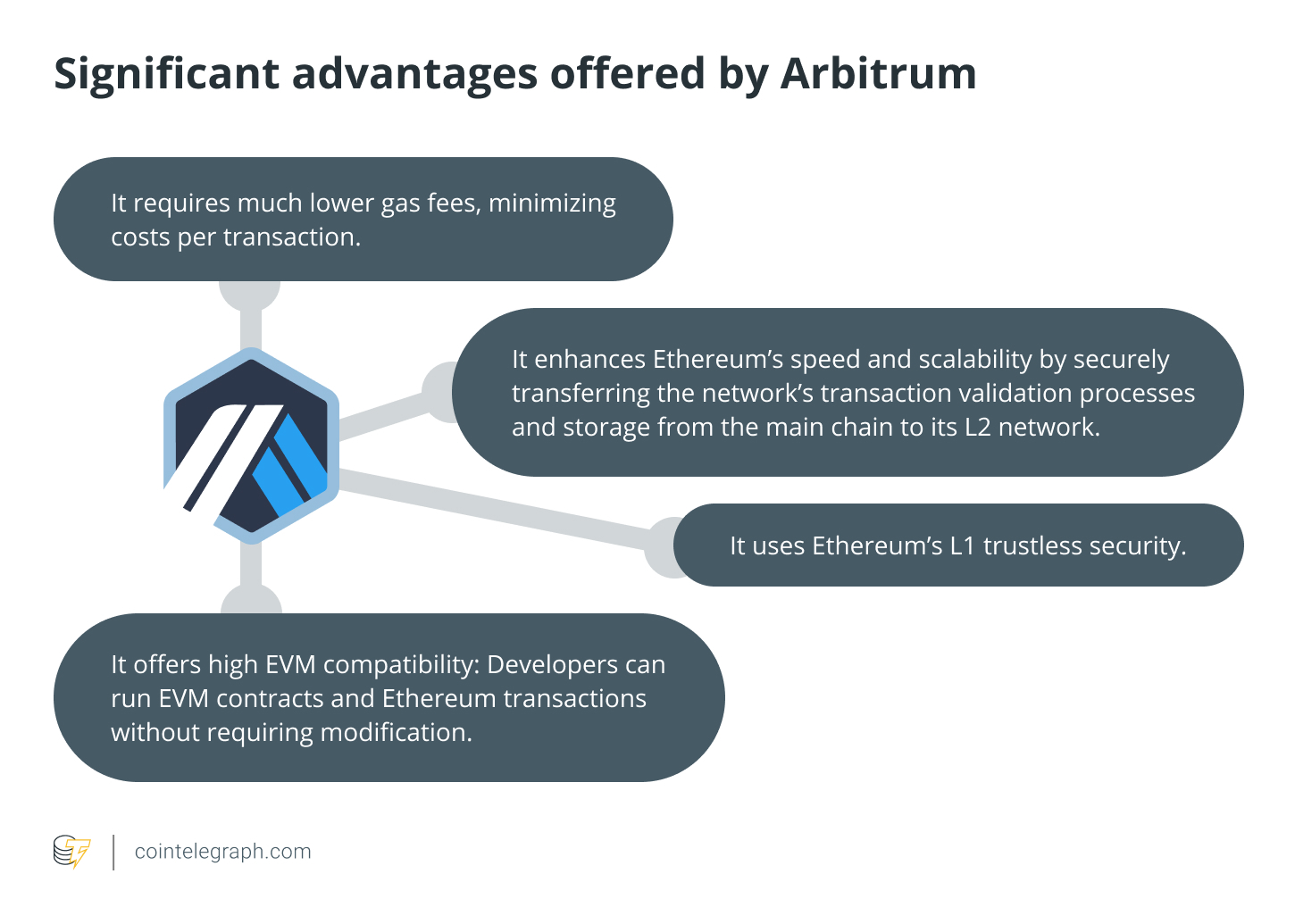
While relying on Ethereum’s L1 security, Arbitrum can ensure inexpensive gas fees due to the use of Optimistic Rollups. Optimistic Rollups are smart contracts that bundle transactions, using less computation and gas for fast and cheap transactions.
For example, Arbitrum manages 40,000 transactions per second (TPS) against the 14 produced by the Ethereum blockchain. Ethereum’s transactions can be very costly, hitting hundreds of dollars in times of high user traffic, whereas transactions are only a couple of cents on Arbitrum.
Arbitrum is also fit for developers who wish to integrate their Ethereum DApps with the platform since they are perfectly compatible. Indeed, Arbitrum supports the Ethereum Virtual Machine (EVM) contracts and Ethereum transactions on L2 while benefiting from Ethereum’s prime L1 security.
Arbitrum is not the first or only platform built to overcome Ethereum’s limitations since other solutions provide similar features. However, none of them allows for such a unique combination of benefits.
Here’s an outline of the most significant advantages Arbitrum offers:
How to access the Arbitrum blockchain
To access the Arbitrum blockchain, users need to set it up through a compatible cryptocurrency wallet. This article will explain how to add Arbitrum to MetaMask, the most popular of Ethereum’s wallets.
MetaMask is a crypto wallet that allows users to access the Ethereum mainnet and its Web3 DApps and NFTs, other than store Ether (ETH) and ERC-20 tokens. MetaMask is both a browser extension and a mobile app and provides users with a key vault, secure login, token wallet and token exchange to easily manage digital assets. It’s widely used to connect blockchain-based applications securely while protecting users’ privacy.
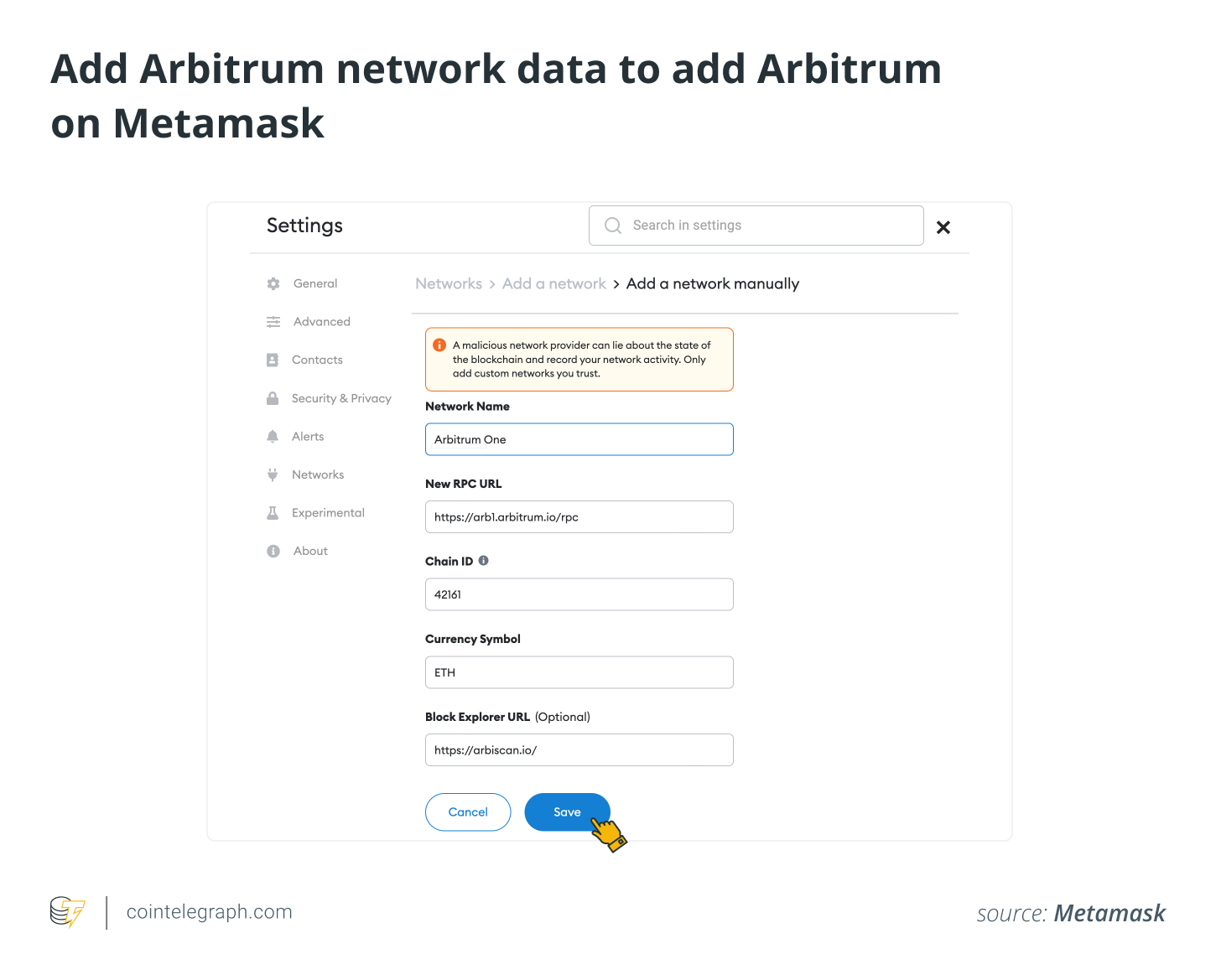
To connect the MetaMask crypto wallet to the Arbitrum network, users will need to follow a few simple steps and add some blockchain information to MetaMask, including a chain ID, a custom remote procedure call (RPC) URL and a network name. You will also be able to add one or more of the Arbitrum tokens by importing the correct token address.
How to install and set up MetaMask
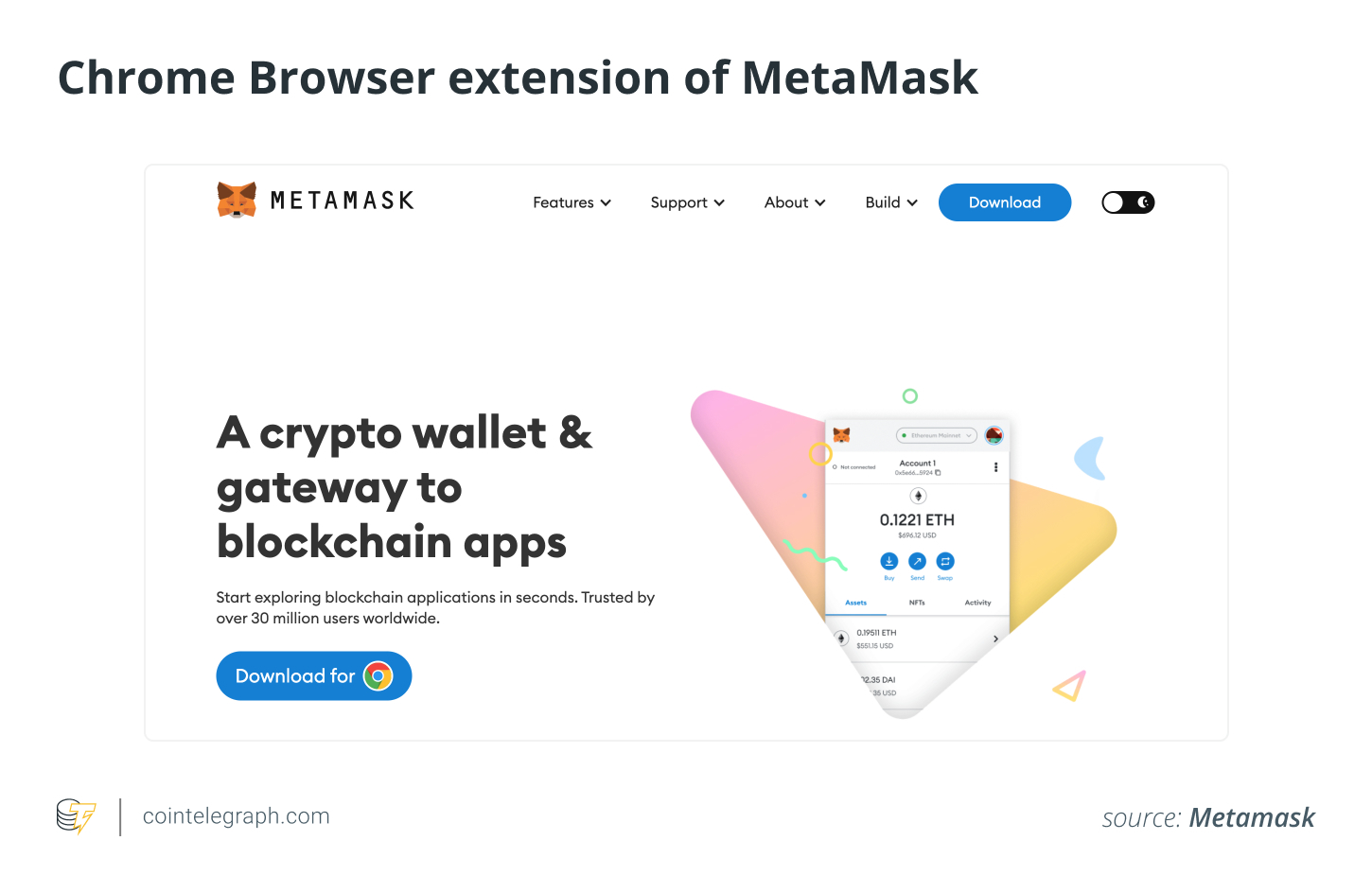
MetaMask can be added as an extension to Chrome, Firefox, Opera, Brave browsers and iOS or Android on mobile from the MetaMask website. Chrome browser steps will be discussed later in this article.
It’s essential that users verify the legitimacy of the MetaMask website to avoid being tricked into fraudulent pages. Downloading the right extension from the official website is strictly recommended.
-
From the MetaMask website, click “Download for Chrome” and “Add to Chrome” to add the extension.
-
Install the MetaMask Chrome extension and click “Get Started” on the MetaMask welcome page.
-
To import your existing wallet, you’ll need the wallet seed phrase; click on the “Import wallet” option.
-
You can also set up a new wallet by clicking on the “Create a wallet” button.
-
Here, you have to create a secure password to access the wallet from your device.
-
On the next page, you will view essential information about your seed phrase. The seed phrase, or recovery phrase, is your wallet’s most crucial security feature and backup that will allow you to access your wallet even if you lose or forget your password.
-
Next, you’ll view the seed phrase by clicking the lock button. You’ll have to take note of the words in the proper order, store it securely offline and never share it with anyone. Your assets may be at risk if someone gets access to your seed phrase.
-
The system will ask you to repeat the seed phrase on the next page; make sure you select the words in the correct order.
-
Click “Confirm” to finish and then “All Done” to access your new wallet.
The process just described will connect MetaMask automatically to Ethereum. However, to add Arbitrum on MetaMask, complete the following few steps below.
How to connect Arbitrum on MetaMask?
MetaMask supports several other networks besides Ethereum. However, they are not enabled by default and must be added manually. To add Arbitrum on MetaMask, you need to provide some network data:
-
Open MetaMask and click the network dropdown menu near the MetaMask fox logo.
-
A pop-up will appear, then click “Add Network.”
-
On the next page, you’ll need to add the following Arbitrum network data:
-
After adding the above details, click “Save.”
You’ve now added the Arbitrum layer-2 network and are ready to use it.
To add Arbitrum tokens to MetaMask, you must also add them manually. You will still receive the tokens, even if you haven’t added them yet to the wallet. However, they won’t show up until you import them manually.
-
Head to https://arbiscan.io/, an Etherscan-based block explorer for Arbitrum.
-
Here you can find the details of the token you want to add. If you can’t find your token, you’ll need to add the contract address manually from the project’s official website. Always ensure you are using a legitimate smart contract, as there could be a fake one created by scammers.
-
Go back to MetaMask and click “Import Tokens.”
-
Add the token’s contract address on the next page and the rest of the details required. This action should be filled out automatically by MetaMask.
-
Click “Add Custom Token” and then “Import Tokens.”
-
Your wallet will now display the balance of the tokens you just added.
Once you set up MetaMask and add the Arbitrum mainnet to it, you’re ready to start using cryptocurrency efficiently and cheaply. You can send and receive crypto, collect NFTs, use Web3 applications, DApps, smart contracts and even swap cryptocurrency coins or tokens. You’ll be able to do everything you can already do in Ethereum with Arbitrum, but more cheaply and efficiently.
You’ll just need to ensure you have enough Ether (ETH) in your wallet to pay for your transaction costs. You can add ETH to your wallet by connecting the Arbitrum bridge to the Ethereum mainnet.
How to use the Arbitrum bridge
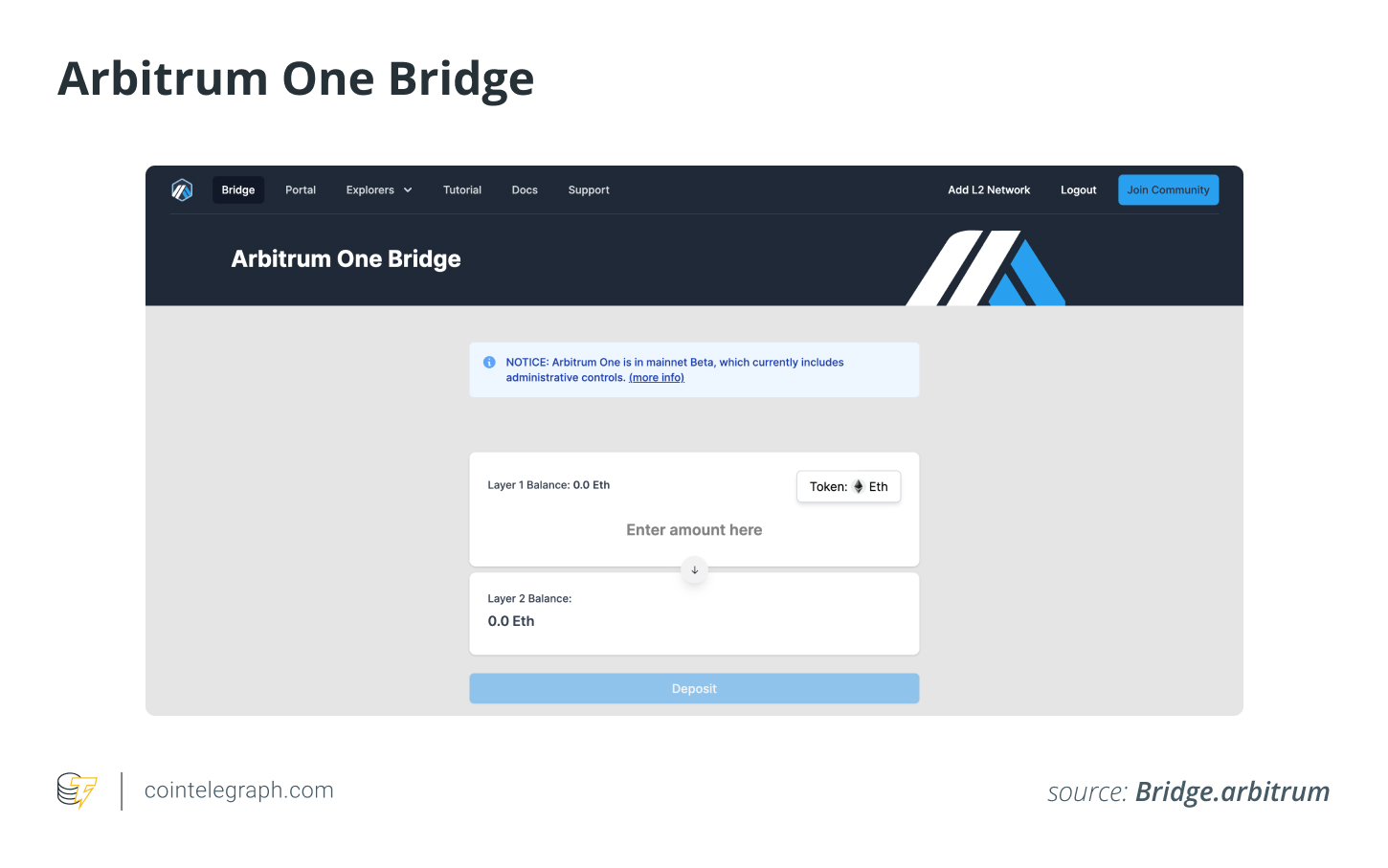
You can connect to Arbitrum to bridge your assets, discover the Web3 DApps and transact for less, paying lower gas fees on Ethereum. To send your ETH from layer 1 Ethereum to layer 2 Arbitrum, follow the steps:
-
Connect your MetaMask, and go to https://bridge.arbitrum.io/. The screen below will appear:
-
Enter the amount of ETH you want to add on Arbitrum and click “Deposit.”
-
Next, you will have to confirm the transaction in your wallet. Even though this transaction is executed on layer 1, the Arbitrum lower gas fees will apply.
-
Once you’re happy with the amount, click “Confirm.”
-
The transaction will now appear as “pending” at the bottom of the screen on the next page.
-
You now have ETH on Arbitrum and can start sending and receiving it.
Since Web3’s rapid expansion of NFTs, the Metaverse and DApps in the last couple of years, Ethereum’s extremely high fees have hindered further development and discouraged more industry participation across the board. L2 networks like Arbitrum could help overcome the scalability issue to allow users to keep exploring the value of the new tech.
Learning a few different steps to connect the Arbitrum network to your MetaMask and bridge your ETH could just be worthwhile to enjoy the benefits of Web3 sustainably.
Purchase a licence for this article. Powered by SharpShark.