
• Home
  • Latest News
  • Cryptocurrency and NFT
  • Virtual Worlds
  • Learning Zone
  • Videos
    • News
    • Learn
  • FAQ
  • Directory
Sunday, March 22, 2026
Metaverse News Outlet
  • Home
  • Latest News
  • Cryptocurrency and NFT
  • Virtual Worlds
  • Learning Zone
  • Videos
    • News
    • Learn
  • FAQ
  • Directory
No Result
View All Result
  • Home
  • Latest News
  • Cryptocurrency and NFT
  • Virtual Worlds
  • Learning Zone
  • Videos
    • News
    • Learn
  • FAQ
  • Directory
No Result
View All Result
Metaverse News Outlet
No Result
View All Result
Home Latest News

Universal Control From Apple Deepens the iOS-MacOS Relationship

2022-03-18
in Latest News
0
Universal Control From Apple Deepens the iOS-MacOS Relationship
189
SHARES
1.5k
VIEWS
Share on FacebookShare on Twitter
wwdc-2021-apple-450-mac-os-monterey-universal-control.png

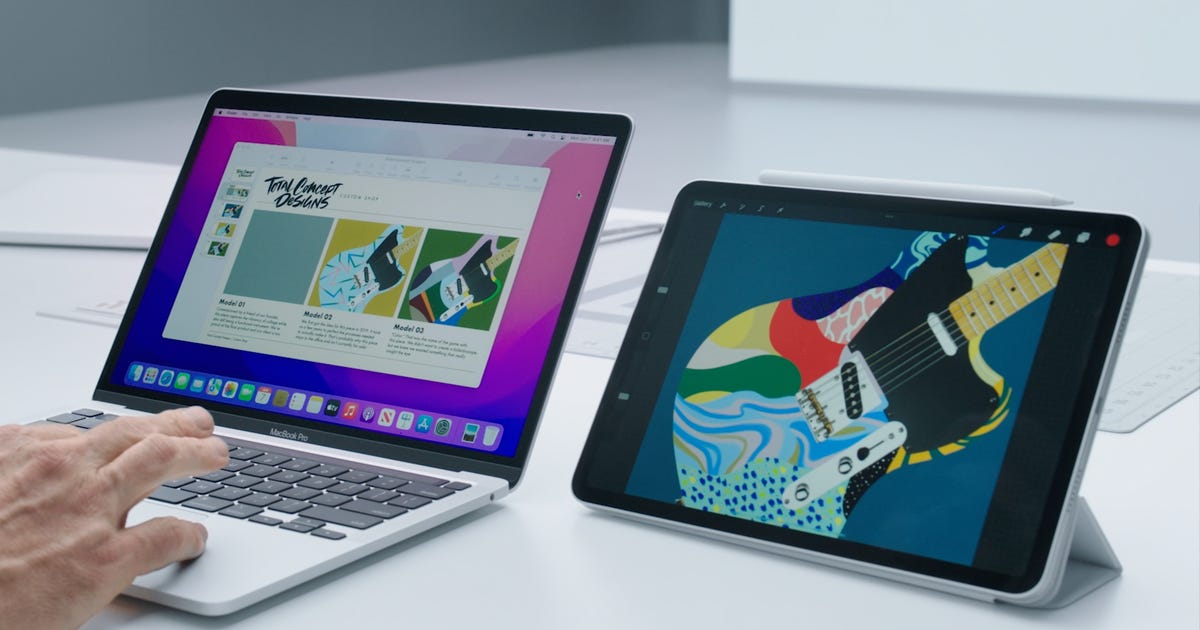
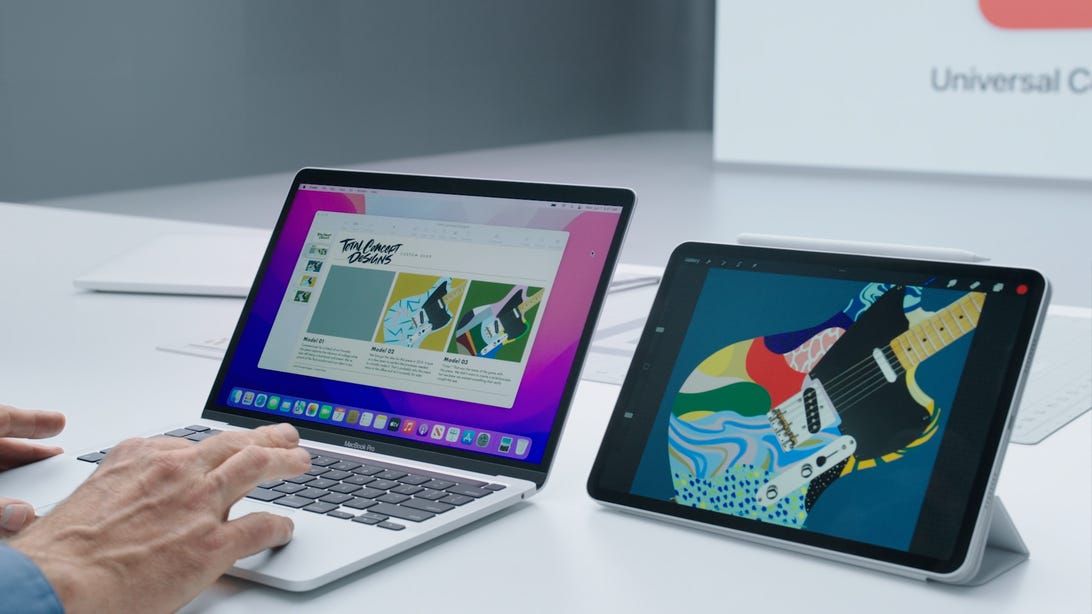
Universal Control is here now, and it works about as well as I had hoped.


Screenshot/Apple

I’ve wanted iPads and Macs to fuse for years. They’re still separate in 2022. But a common thread runs through both: Literally, it’s the cursor that jumps between my iPad and MacBook on my desk right now.

Apple’s Universal Control, a much-anticipated feature that’s live as a beta in iPadOS 15.4 and MacOS 12.3, is uncanny at times, invisible at others. And sometimes it doesn’t work at all. 

The feature allows a Mac keyboard and trackpad/mouse to also control a nearby iPad — or vice versa, if you’re using an iPad keyboard or accessory. Basically, it allows any nearby keyboard, seemingly, to control all devices. Hence, Universal Control. I’ve tried it on a 12-inch iPad Pro and the latest iPad Air so far, alongside an M1 MacBook Air.

The idea isn’t that wild in concept, but trying it out does feel like the most magical thing I’ve seen in recent versions of iPadOS. My MacBook cursor, when approaching the edge of my display, just leaps off and enters the iPad. Yes, just like you can do with any other connected secondary monitor.

What makes it uncanny is that iPadOS runs differently. Over in iPad-Land, the cursor becomes larger and morphs into the apps it hovers near. It mimics how trackpads and keyboards and mice already work on iPadOS. 

Before this, Apple already had Sidecar, which also let iPads act as Pencil-compatible second screens for Macs. Universal Control feels like another step. And weirdly, of all things this relationship reminds me of right now, it makes me think of VR… and what Meta has been doing with its Quest headsets and computers.

Meta’s own Horizon Workrooms app, and a handful of other apps, can pair with a MacBook or a few other keyboards to make it feel like your device has suddenly leapt into your VR headset. In Horizon Workrooms, a computer can control VR. Or, your VR headset can interface with your computer desktop and become a head-worn second screen.

With all of Apple’s expected visions of AR, including a reported headset sometime in the next year, being able to remotely access and dovetail devices will be critical. In fact, cross-device relationships are at the heart of what the current metaverse hype cycle is all about. But, even if you don’t ever wear an Apple VR/AR headset, expanding the ways that iPhones, iPads, Macs and Apple TVs feel like interlinked nodes of one ambient super-device seems like the way forward. Not just for Apple, but for tech in general.

Universal, but not always intuitive 

Universal Control isn’t intuitive to set up, though. It doesn’t “just work” when you update your OS. Instead, you need to make sure both devices have Bluetooth on, are on the same Wi-Fi network, are near each other and have some particular settings toggled on. For the Mac, in Display settings, Universal Control has three particular settings that need to be checked off, all listed as “beta” features, allowing the Mac to have its cursor/keyboard extend, push through the edge of the display and reconnect to a nearby device. You can add the iPad as a display after that, and rearrange the two displays like any set of monitors with a Mac. The iPad needs to have “cursor and keyboard (beta)” enabled in the Airplay and Handoff part of settings, too.

After that, it seems to work, but sometimes I find when I wake devices up from sleep they don’t automatically seem to activate. I’m still getting used to it. Also, it’s a beta feature. And while the MacBook Air’s trackpad seems to work fine on the iPad Pro, the iPad Pro’s Magic Keyboard trackpad seems to track slowly on the Mac.

But, is it fun to leap across both devices with one keyboard and trackpad? Yes, yes it is. And sometimes, controlling the iPad or Mac from the other device, it feels like mind-reading. Or remote telepresence. And with a monitor connected to the MacBook Air, plus the iPad nearby, it’s now a three-screen system of sorts that I control with one keyboard/trackpad.

I still think iPadOS should evolve into MacOS or add a Mac layer, especially for pro-level iPads. Macs are overdue for some touchscreen experiences, too. While Universal Control doesn’t do that, it makes the devices feel so much more connected. I can even bring some things across the divide: A file can be dragged across from my Mac desktop, but it needs to land in a particular app to finish transferring (like Apple’s iPadOS Files app). Yet, I can’t drag windows or apps or browser tabs with me, though, like I always do on monitors with the Mac. So close, and yet so far.

iPads still don’t extend to other monitors except with a few apps. But what if they did? And what if iPads ran an OS ecosystem similar to Macs? Complete the journey, Apple, and revamp iPadOS at WWDC this year. The pieces are all there. The job just needs to be finished. Let these worlds merge, because the walls are already growing thinner than ever.



Get the CNET Mobile newsletter

Find the best phones, apps and accessories with our CNET Mobile newsletter. Delivered Tuesdays and Thursdays.

Source link

Tags: AppleControlDeepensiOSMacOSRelationshipUniversal
Share76Tweet47
Previous Post

Rare Bears Discord phishing attack nabs $800K in NFTs

Next Post

Open-world games keep getting bigger. Why do these games take so long to beat?

Related Posts

Meta and Mark Zuckerberg Didn’t Lose $80 Billion on the Metaverse

Meta and Mark Zuckerberg Didn’t Lose $80 Billion on the Metaverse

2026-03-21
0

Nearly five years ago, Mark Zuckerberg told us the future was the metaverse — an idea that seemed to involve...

Mark Zuckerberg’s Metaverse Failed. but What If It Hadn’t?

Mark Zuckerberg’s Metaverse Failed. but What If It Hadn’t?

2026-03-20
0

In 2021, Facebook renamed itself "Meta" because it was the first part of the word "metaverse." This is fitting because...

Take-Two Interactive Software Inc. (TTWO) Builds Momentum in Gaming and the Metaverse

Take-Two Interactive Software Inc. (TTWO) Builds Momentum in Gaming and the Metaverse

2026-03-19
0

Take-Two Interactive Software Inc. (NASDAQ:TTWO) is one of the best metaverse stocks to buy according to analysts. On March 4,...

‘Uncanny Valley’: Nvidia’s ‘Super Bowl of AI,’ Tesla Disappoints, and Meta’s VR Metaverse ‘Shutdown’

‘Uncanny Valley’: Nvidia’s ‘Super Bowl of AI,’ Tesla Disappoints, and Meta’s VR Metaverse ‘Shutdown’

2026-03-19
0

This week on Uncanny Valley, hosts Brian Barrett and Zoë Schiffer discuss the highlights from Nvidia’s annual developer conference, and...

Meta backtracks on decision to end Horizon Worlds VR fans speak up

Meta backtracks on decision to end Horizon Worlds VR fans speak up

2026-03-19
0

Pavlo Gonchar| SOPA Images | Lightrocket | Getty ImagesA day after announcing that it will be shutting down Horizon Worlds...

Load More

Leave a Reply Cancel reply

Your email address will not be published. Required fields are marked *

  • Trending
  • Comments
  • Latest
Top 5 Biggest Metaverse Crypto Projects for 2022

Top 5 Biggest Metaverse Crypto Projects for 2022

2022-01-16
Why Are Photographic Avatars Vital for Work in the Metaverse?

Why Are Photographic Avatars Vital for Work in the Metaverse?

2022-01-02
YouTube’s Primetime Channels bring streaming movies and TV into the YouTube app

YouTube’s Primetime Channels bring streaming movies and TV into the YouTube app

2022-11-01

Gateway to the Metaverse | Monthly Memos from Hrish Lotlikar

2022-01-04
Someone paid 450k to be Snoop Dogg’s virtual neighbour

Someone paid 450k to be Snoop Dogg’s virtual neighbour

0
Metaverse Land On Solana Is Also Gaining Value Rapidly

Metaverse Land On Solana Is Also Gaining Value Rapidly

0
Snoop Dogg Sandbox Sale Goes Live Today!

Snoop Dogg Sandbox Sale Goes Live Today!

0
Metaverse Land Sales Are Flying

Metaverse Land Sales Are Flying

0
Meta and Mark Zuckerberg Didn’t Lose $80 Billion on the Metaverse

Meta and Mark Zuckerberg Didn’t Lose $80 Billion on the Metaverse

2026-03-21
Mark Zuckerberg’s Metaverse Failed. but What If It Hadn’t?

Mark Zuckerberg’s Metaverse Failed. but What If It Hadn’t?

2026-03-20
Take-Two Interactive Software Inc. (TTWO) Builds Momentum in Gaming and the Metaverse

Take-Two Interactive Software Inc. (TTWO) Builds Momentum in Gaming and the Metaverse

2026-03-19
‘Uncanny Valley’: Nvidia’s ‘Super Bowl of AI,’ Tesla Disappoints, and Meta’s VR Metaverse ‘Shutdown’

‘Uncanny Valley’: Nvidia’s ‘Super Bowl of AI,’ Tesla Disappoints, and Meta’s VR Metaverse ‘Shutdown’

2026-03-19

Metaverse News Outlet

Our mission is to bring you the latest metaverse news and help you learn about the metaverse. It doesn't matter if you're a metaverse beginner or a metaverse noob, we've got you covered. Be sure to check out our Learning Zone to find out how you can join the metaverse if you want to get involved.

Categories

  • Cryptocurrency and NFT
  • Latest News
  • Learning Zone
  • Virtual Worlds

Recent Posts

  • Meta and Mark Zuckerberg Didn’t Lose $80 Billion on the Metaverse
  • Mark Zuckerberg’s Metaverse Failed. but What If It Hadn’t?
  • Take-Two Interactive Software Inc. (TTWO) Builds Momentum in Gaming and the Metaverse

No Result
View All Result
  • Home
  • Latest News
  • Cryptocurrency and NFT
  • Virtual Worlds
  • Learning Zone
  • Videos
    • News
    • Learn
  • FAQ
  • Directory

© 2018 Metaverse News Outlet.