

• Home
  • Latest News
  • Cryptocurrency and NFT
  • Virtual Worlds
  • Learning Zone
  • Videos
    • News
    • Learn
  • FAQ
  • Directory
Sunday, March 22, 2026
Metaverse News Outlet
  • Home
  • Latest News
  • Cryptocurrency and NFT
  • Virtual Worlds
  • Learning Zone
  • Videos
    • News
    • Learn
  • FAQ
  • Directory
No Result
View All Result
  • Home
  • Latest News
  • Cryptocurrency and NFT
  • Virtual Worlds
  • Learning Zone
  • Videos
    • News
    • Learn
  • FAQ
  • Directory
No Result
View All Result
Metaverse News Outlet
No Result
View All Result
Home Learning Zone

How to Use Meta Quest Hand Tracking

2022-10-17
in Learning Zone
0
How to Use Meta Quest Hand Tracking
189
SHARES
1.5k
VIEWS
Share on FacebookShare on Twitter
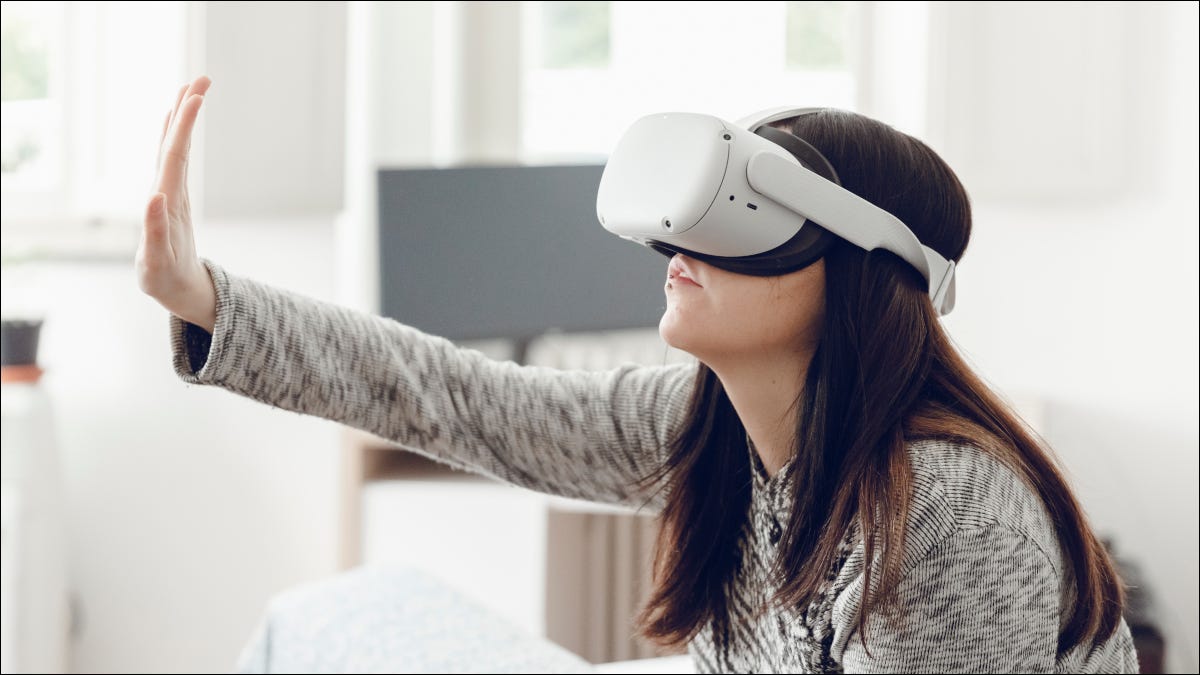
Woman wearing a Meta Quest headset and using her hand to touch the air.
NicolaNessi/Shutterstock.com

To enable hand tracking, open the Settings screen on your Quest headset, select “Hands and Controllers,” and enable “Hand tracking.” Point your hand forward to aim it at things, touch your thumb and finger together to “click”, and pinch and hold to scroll and move things around.

Quest VR headsets come with brilliant motion controllers, but to interact with the world of VR you can also use nothing but your hands. Activating this feature is easy, but it comes with a few limitations you should know about.

How Quest Hand Tracking Works

The Quest and Quest 2 headsets have exterior onboard cameras that track the headset’s motion relative to the environment. This is known as “inside-out” tracking and is becoming the standard way for VR motion tracking, replacing systems that use external cameras around the user.

Meta has found other interesting uses for those cameras, including the ability to blend objects from the real world with the VR world. The hand-tracking feature also uses these cameras, combined with a machine vision algorithm that can recognize the position and movement of your hands and bring them into the VR world.

There are some limitations when using your hands instead of the motion controllers. First of all, you won’t have any sort of haptic feedback, which can somewhat weaken the immersive experience. Secondly, your hands must be within view of the cameras for the system to work. Finally, you need to have a well-lit play space to get the best experience, or the headset will lose track of your hands or track them poorly.

How to Enable Hand Tracking on Your Meta Quest

Hand-tracking is not on by default, but it’s also no longer an experimental feature. Turning it on is a straightforward process.

First, press the Oculus button on the right-hand Touch Controller. This will bring up the universal menu. Hover your pointer over the clock area, and the words “Quick Settings” appear. Select it to open Quick Settings.

Quest Quikc Settings

Now select the gear icon at the top-right of Quick Settings to open the main settings window.

Quest Settings Shortcut

Select Hands and Controllers.

Quest Hands and Controllers

Toggle the “Hand Tracking” option to the on position.

Quest Hand Tracking Toggle

You also have the option to enable auto-switching between hand tracking and controller use. We recommend this since it makes it easy to dynamically change between different experiences simply by putting your touch controllers down. If you don’t, you’ll have to enable and disable hand-tracking manually every time you want to start or stop using it.

Hand-Tracking Gestures

Without a controller and all its buttons in your hand, you may wonder how you’re supposed to interact with system menus and functions. In hand-tracking mode, the Quest recognizes certain gestures you can use to call up system menus and navigate the user interface.

With your hand pointed forward, you’ll see the same laser pointer you get with a touch controller. You’ll “click” on any highlighted object by touching your thumb and finger together. You can also pinch-and-hold to scroll text or move things around.

To access the Home Menu, look at the palm of your hand and then touch your finger to your thumb until the menu icon fills up.

Try These Hand Tracking Experiences

Now that you have hand-tracking available, which games and experiences should you try? At the time of writing, hand tracking has reached version 2.0, and there are several great titles to try out:

There are sure to be many more creative and immersive hand-tracking titles, so if you have a Quest, it’s worth turning this cool feature on to get a grip on the metaverse.




Source link

Tags: HandMetaQuestTracking
Share76Tweet47
Previous Post

Flipkart launches metaverse shopping platform: How to shop in Flipverse

Next Post

Kraft Applies for Metaverse Trademark for Iconic Weinermobile

Related Posts

Why I’m hesitant to trust Matter-certified smart home gadgets

Why I’m hesitant to trust Matter-certified smart home gadgets

2026-02-03
0

Matter was meant to unite smart home ecosystems, but instead, it has made the landscape more confusing. Rather than simplifying...

5 ways to give it a second life

5 ways to give it a second life

2026-01-21
0

Your Apple TV is likely the last device you upgrade regularly. In recent years, updates have primarily focused on faster...

ASUS and Lenovo won’t build Meta Quest-like VR headsets after all

ASUS and Lenovo won’t build Meta Quest-like VR headsets after all

2025-12-17
0

Meta previously announced plans to develop VR and XR headsets with ASUS and Lenovo, using the same software as Meta's...

Why Samsung needs to copy Apple’s most gimmicky feature

Why Samsung needs to copy Apple’s most gimmicky feature

2025-12-07
0

There are some features that are easy to immediately dismiss as gimmicks. Then, over time, they start to make sense....

Don’t buy the Steam Machine, here’s how to build a better one

Don’t buy the Steam Machine, here’s how to build a better one

2025-11-14
0

The Steam Machine has just been announced, and PC gamers are already going crazy over it. If you can’t wait...

Load More

Leave a Reply Cancel reply

Your email address will not be published. Required fields are marked *

  • Trending
  • Comments
  • Latest
Top 5 Biggest Metaverse Crypto Projects for 2022

Top 5 Biggest Metaverse Crypto Projects for 2022

2022-01-16
Why Are Photographic Avatars Vital for Work in the Metaverse?

Why Are Photographic Avatars Vital for Work in the Metaverse?

2022-01-02
YouTube’s Primetime Channels bring streaming movies and TV into the YouTube app

YouTube’s Primetime Channels bring streaming movies and TV into the YouTube app

2022-11-01

Gateway to the Metaverse | Monthly Memos from Hrish Lotlikar

2022-01-04
Someone paid 450k to be Snoop Dogg’s virtual neighbour

Someone paid 450k to be Snoop Dogg’s virtual neighbour

0
Metaverse Land On Solana Is Also Gaining Value Rapidly

Metaverse Land On Solana Is Also Gaining Value Rapidly

0
Snoop Dogg Sandbox Sale Goes Live Today!

Snoop Dogg Sandbox Sale Goes Live Today!

0
Metaverse Land Sales Are Flying

Metaverse Land Sales Are Flying

0
Meta and Mark Zuckerberg Didn’t Lose $80 Billion on the Metaverse

Meta and Mark Zuckerberg Didn’t Lose $80 Billion on the Metaverse

2026-03-21
Mark Zuckerberg’s Metaverse Failed. but What If It Hadn’t?

Mark Zuckerberg’s Metaverse Failed. but What If It Hadn’t?

2026-03-20
Take-Two Interactive Software Inc. (TTWO) Builds Momentum in Gaming and the Metaverse

Take-Two Interactive Software Inc. (TTWO) Builds Momentum in Gaming and the Metaverse

2026-03-19
‘Uncanny Valley’: Nvidia’s ‘Super Bowl of AI,’ Tesla Disappoints, and Meta’s VR Metaverse ‘Shutdown’

‘Uncanny Valley’: Nvidia’s ‘Super Bowl of AI,’ Tesla Disappoints, and Meta’s VR Metaverse ‘Shutdown’

2026-03-19

Metaverse News Outlet

Our mission is to bring you the latest metaverse news and help you learn about the metaverse. It doesn't matter if you're a metaverse beginner or a metaverse noob, we've got you covered. Be sure to check out our Learning Zone to find out how you can join the metaverse if you want to get involved.

Categories

  • Cryptocurrency and NFT
  • Latest News
  • Learning Zone
  • Virtual Worlds

Recent Posts

  • Meta and Mark Zuckerberg Didn’t Lose $80 Billion on the Metaverse
  • Mark Zuckerberg’s Metaverse Failed. but What If It Hadn’t?
  • Take-Two Interactive Software Inc. (TTWO) Builds Momentum in Gaming and the Metaverse

No Result
View All Result
  • Home
  • Latest News
  • Cryptocurrency and NFT
  • Virtual Worlds
  • Learning Zone
  • Videos
    • News
    • Learn
  • FAQ
  • Directory

© 2018 Metaverse News Outlet.