

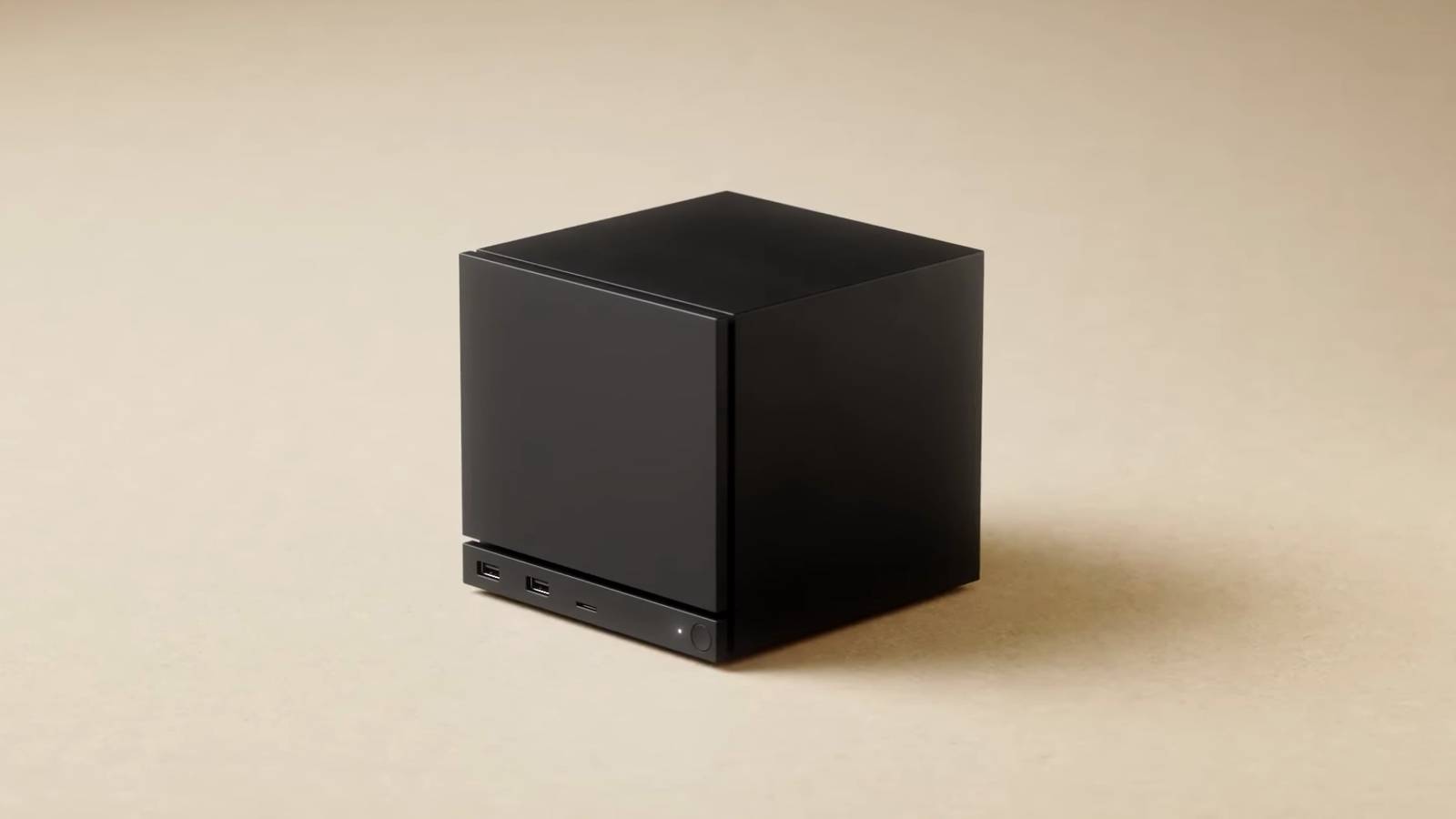
The Steam Machine has just been announced, and PC gamers are already going crazy over it. If you can’t wait to get your hands on one, or if you like the concept of a tiny living room PC but have some reservations, you should build your own Steam Machine.
Why you should build a Steam Machine clone
There are numerous reasons to build your own Steam Machine-style PC, but the main one is complete freedom.
Generally speaking, PC gamers are not used to getting locked into a system, which is precisely what the Steam Machine does. To me, it is like a console disguised as a PC. For starters, the Steam Machine runs SteamOS, which is primarily designed to run Steam games. You can add non-Steam titles if you catch a deal on GOG or Epic Games, but Valve does not make that process particularly straightforward.
Valve also says you can install a different operating system if you want, but let’s be honest—most people buying a Steam Machine are doing so because they want something simple and console-like, not because they want to tinker with operating systems.
If you build a Steam Machine clone, though, you’re already going to install an OS yourself, meaning you’re forced to make the “right” decision for you. That might sound intimidating, but it’s really not as bad as it seems, and it’s something you’ll only have to do once.
A popular alternative to SteamOS is Bazzite, a gaming-focused Linux distro similar to SteamOS but with more flexibility and functionality baked in. Or, you can stick with Windows for maximum game compatibility, since many titles still do not work on Linux. Multiplayer games with kernel-level anti-cheat are a good example.
You also need Windows for Game Pass, which is arguably as console-like an experience as it gets; it is actually kind of an Xbox clone. Or, you can dual-boot Windows and Bazzite to get the best of both worlds.
While you could technically use SteamOS in desktop mode on the Steam Machine and treat it like a regular computer, Linux still has various quirks that can make it less approachable for general computing compared to Windows.

Hardware is the real aspect where the Steam Machine locks you in. It’s a proprietary piece of hardware that uses a semi-custom Zen 4 CPU and RDNA3 GPU with 16GB of DDR5 RAM and 8GB of dedicated GDDR6 VRAM. The fixed amount of VRAM could be a major problem, as some games may require more than 8GB, especially at 4K, which is the Steam Machine’s primary targeted resolution for living room TVs. Plus, like consoles, the Steam Machine’s primary components aren’t upgradeable, so you’re locked into those specs.
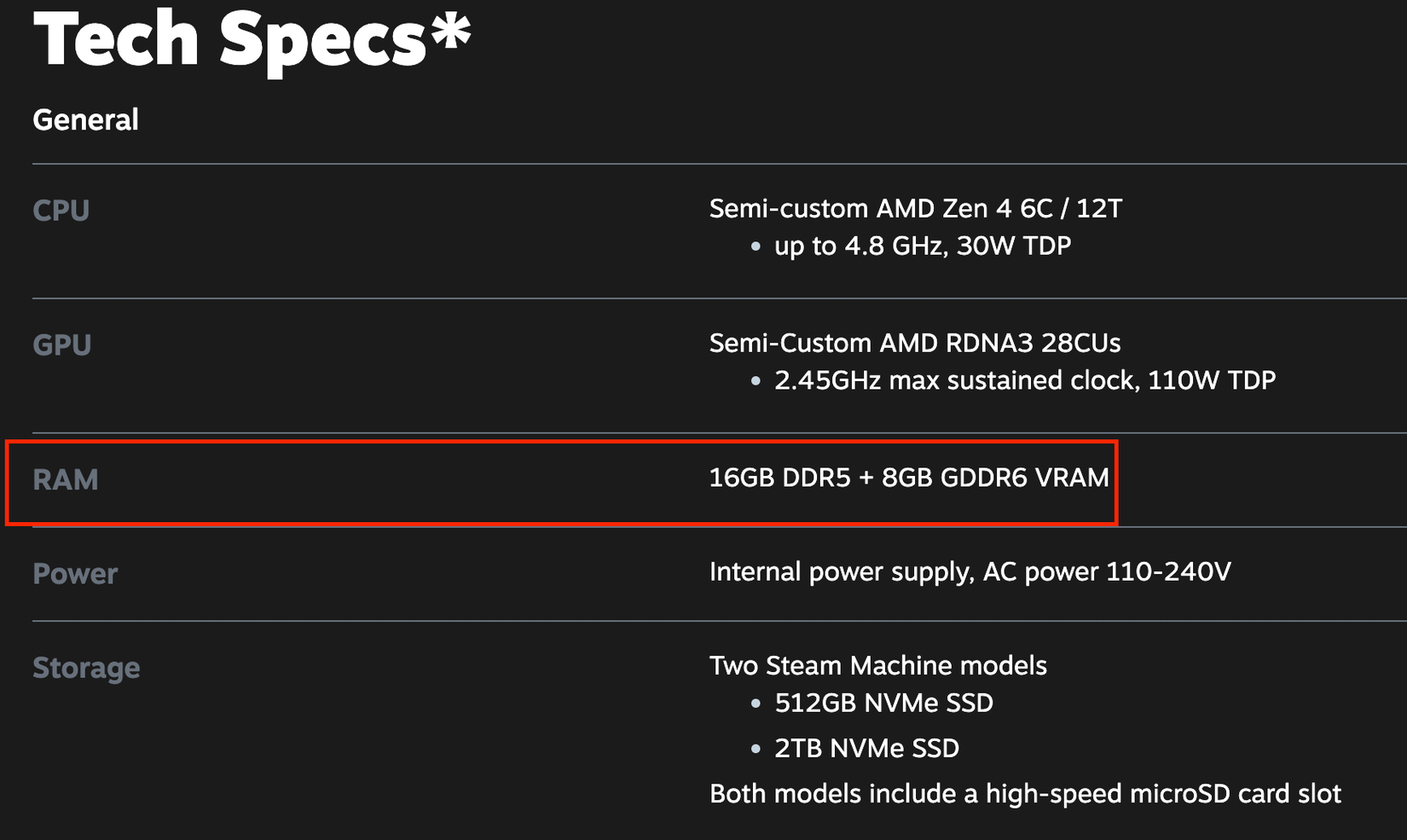
Building your own Steam Machine means you get to pick the parts. This means you could get a graphics card with 16GB of VRAM—perhaps an older, used model to save some money.
RAM is another area where you can do better. I’m personally a firm believer in 32GB RAM for gaming PCs, especially if you plan to play AAA titles. If you’re unwilling to get 32GB now because of the recent DRAM price spikes, you can simply match the Steam Machine’s 16GB today and add another 16GB stick once prices come back down.
How to build the perfect Steam Machine clone
All prices mentioned are accurate at the time of writing and may change over time.
Before we dive into the build, allow me to preface this by saying that the Steam Machine is very likely going to cost you a bit less than building the PC yourself. While we don’t know the exact pricing yet, it’s rumored to be in the $400–$500 range. Valve hardware engineer Yazan Aldehayyat has gone on record in an IGN interview saying, “If you’re trying to make a PC that has similar features and similar performance, I think the Steam Machine is going to be a really competitive price to that and provide really good value to it.”
In that same interview, Aldehayyat explained that a lot of decision-making went into the specs, with the goal being that the machine could play all Steam games at 4K at 60 Hz (presumably meaning 60 FPS) with upscaling. Since it is an AMD build, we are talking about FSR rather than DLSS, so that is what we will focus on here, though you could always spend a bit more for an NVIDIA card with DLSS.
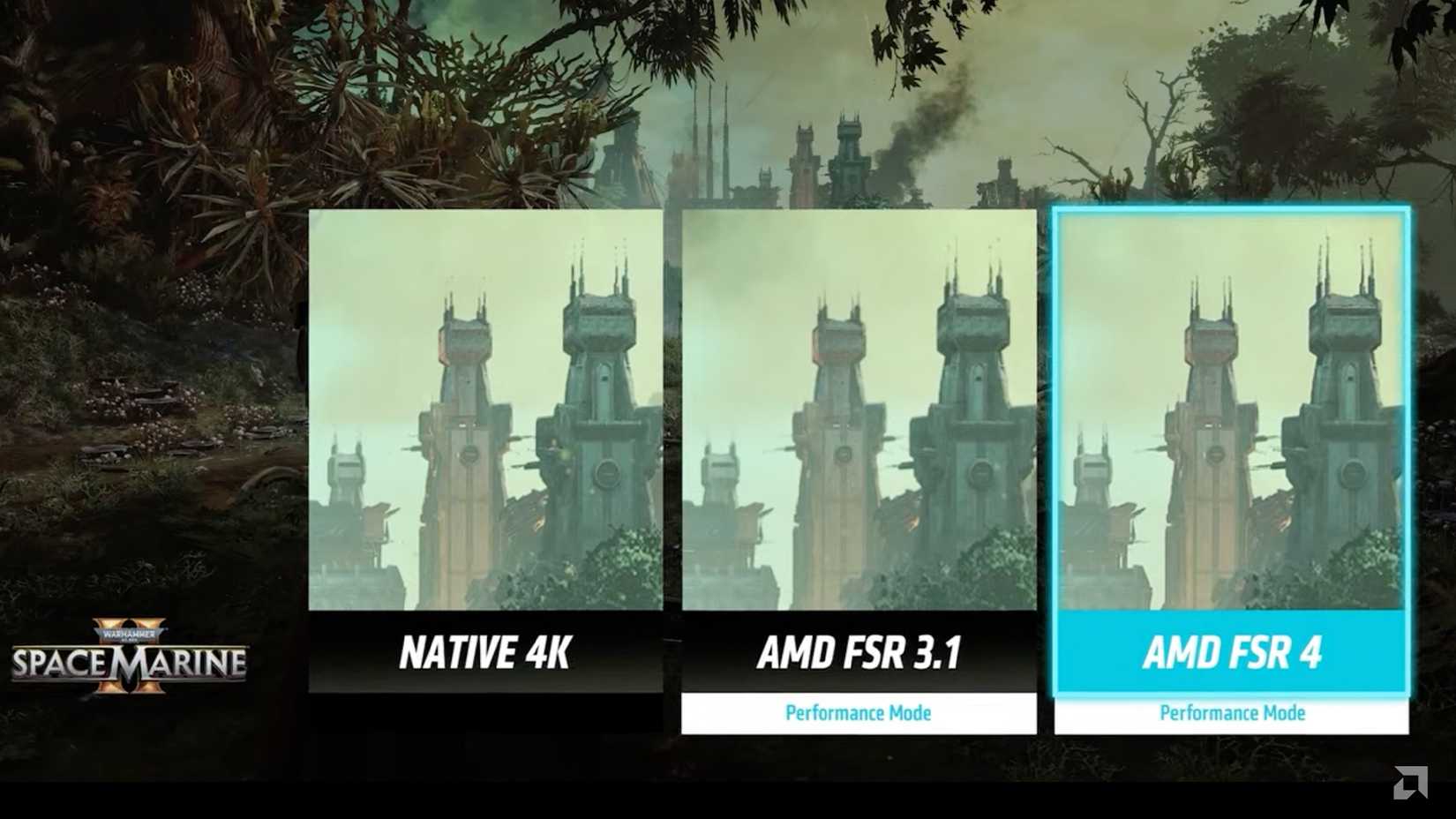
A major drawback of the Steam Machine’s GPU is that it is based on the last-generation AMD RDNA 3 architecture. This means it is limited to FSR 3.1 rather than the newer and much better FSR 4, but perhaps the Steam Machine will encourage AMD to bring FSR 4 to older cards as well. That is a topic for another day, though.
Anyway, here is my attempt at speccing out a Steam Machine clone, aiming to match the performance and small form factor while keeping the cost as low as possible:
Based on these prices, our Steam Machine clone’s final price rounds out to about $815, or $900 for the 2 TB NVMe model. If the official Steam Machine ends up costing significantly less than that, which many hope it will, then it’s impressive how much hardware Valve has managed to pack into that tiny package. Then again, we do have a slightly more powerful CPU and GPU here, and they’re both overclockable.
However, it’s worth noting that these prices are not “optimal,” since building a tiny SFF PC drives costs up.
For example, I chose the slightly pricier SilverStone SG13B case instead of the Cooler Master NR200 because the SG13B supports a standard ATX power supply, giving us more flexibility when picking a cheap PSU. In contrast, the NR200 only allows SFX PSUs, which tend to be significantly more expensive and have fewer options. Technically, you can use an ATX PSU in the NR200 with a 3D‑printable bracket, but that adds build complexity.
If we were willing to build an mATX PC instead, in a slightly larger case, we could save a few bucks:
With just these two modifications, we’re down to around $780. Admittedly, that’s still a lot of money, so it’s worth shopping for used parts as much as possible if you wish to bring the price down substantially.
The only other way to bring the price down significantly without buying used is to opt for an APU (a CPU with an integrated GPU), such as the AMD Ryzen 7 8700G ($259), though you would be sacrificing a lot of performance compared to the Steam Machine’s discrete GPU and CPU. Plus, you’d have to spend more on expensive RAM to match the 16GB+8GB VRAM that the Steam Machine has.
We don’t know if the Steam Machine will ship with the proprietary Steam Controller, but if you don’t already have a controller and want something affordable and reliable, the GameSir Nova Lite is a solid option at $25.
By the way, if you decide to build a Steam Machine clone, please double-check that all components fit. This is somewhat difficult with SFF cases, but if you do your research, you shouldn’t worry too much. Graphics card length and CPU cooler height are worth paying especially close attention to.
Building your own Steam Machine gives you far more flexibility, especially when it comes to choosing parts and planning for future upgrades. While it will likely cost a bit more than buying an official Steam Machine, you’re getting a more powerful device in a similar living-room PC form factor. The best part is that you can build one today!